Please correct an error in the waitlist cancellation process
I have set up a wait list, and I signed up as a test member, using one of my own email addresses as a test member.
A few weeks later, I wanted to be sure that waitlist members could cancel their spot on the waitlist, so I opened the "You're on the waitlist!" confirmation email that had been sent to that email address, and clicked on the "View" button. I’m altering the URL so that I don’t have to put identifying info in here, but it essentially took me to https://community.mydomain.com/invitation?code=ZZZZZ&email=myemail%40gmail.com#waitlist-confirmation
I
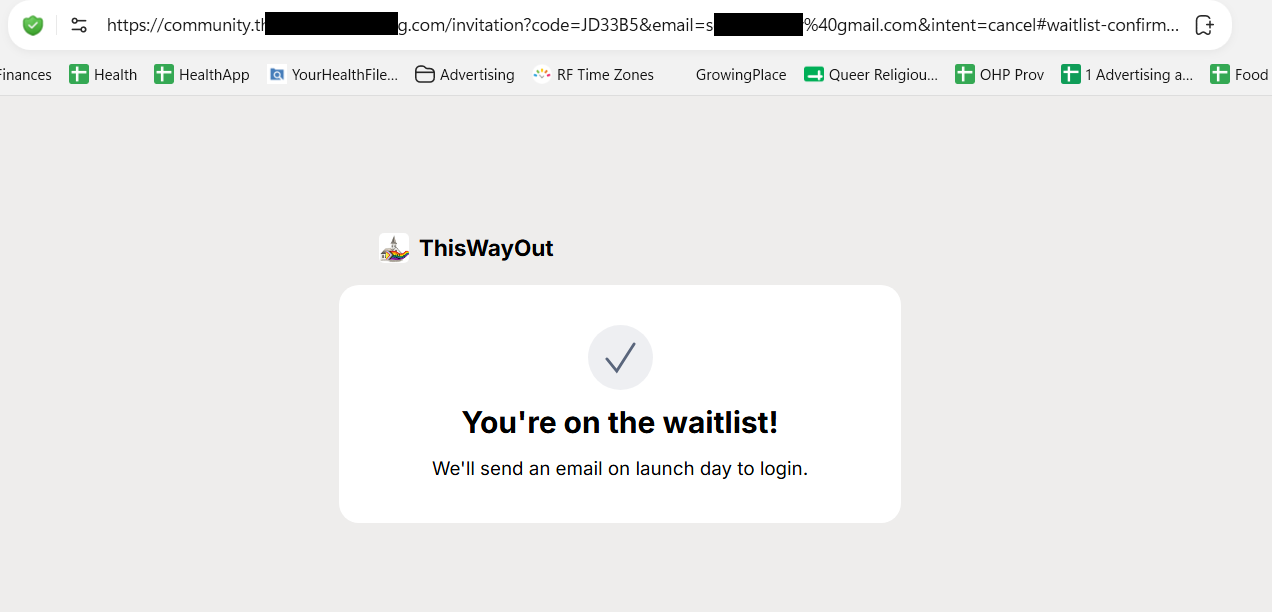
saw the "leave" link at the bottom of the screen (I think that's what it said... I can't remember), and I clicked on it. The screen changed to what you'll see in the attached screen shot, so the "leave" button was gone, but it still says that the member is on the waitlist.
Inside of Heartbeat, in my own admin account, I do see that this member has been removed from the waitlist (moved to canceled), and I see that the user did get an email letting them know that they are no longer on the wait list, but the web page itself is telling them that they’re still on the waitlist. I'm using DuckDuckGo on Windows 11, if that matters.
If we tell the users in an email that they’ve been removed from the waitlist, but tell them in the browser that they’re still on the waitlist, they’re going to know that something went wrong, and won’t know if they’ve been removed from the waitlist or not.
Thank you!
- Product Area
- Sign Up Pages
- What problem does this solve?
Log in to comment and vote
Comments1
Heartbeat Support
Oct 20
Hi Mary,
Our team just released a fix that will address this issue with Waitlists. Please reach out to us through support@heartbeat.chat if you have any follow up questions!