Bring your paying members with you. In five minutes.
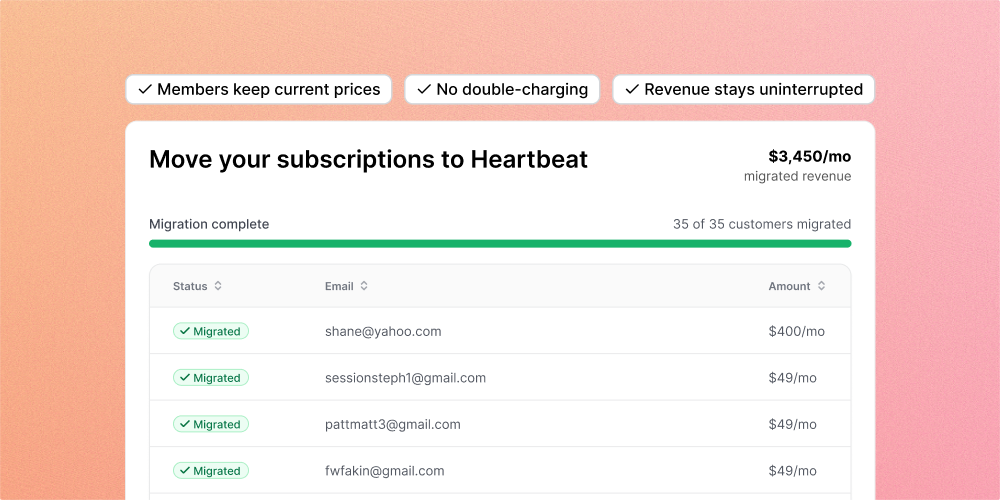
Moving to Heartbeat from Circle, Kajabi, Mighty, Substack, or anything else Stripe-powered? Your active subscriptions come with you. No double-charging, no re-subscribing, no coordinating 200 manual transitions.
Start from Settings > Import Subscriptions, pick the platform you're coming from, upload your Stripe subscription export file, and map each price group to a Heartbeat offer. Pulse steps in when you need a new offer on the fly.
How it works
Export subscriptions from your old Stripe account. Upload the CSV. We auto-detect the Stripe format and respect legacy prices. Copy your customer data over from your old Stripe account to your new Heartbeat-managed one, then hit Complete Migration. Finally, cancel the subscriptions in your old Stripe account to avoid double-billing. That’s all!
Members skip checkout on sign-up and go straight to onboarding. Your members keep what they're paying. You keep the revenue.
Want a second set of eyes? Optional Heartbeat review step double-checks the setup before anything runs.
Heads up: Stripe-to-Stripe migrations only for now.
Also shipped
Improved Edit sidebar items without opening Settings. Hover on any item in your left sidebar (Feed, Courses, Events, Docs, Matchups, or any custom link), click the three-dot menu, and rename, edit access, or configure it right there.