
Changelog

Follow new updates and improvements to Heartbeat.

Custom domains just got easier (plus, your first year is free)
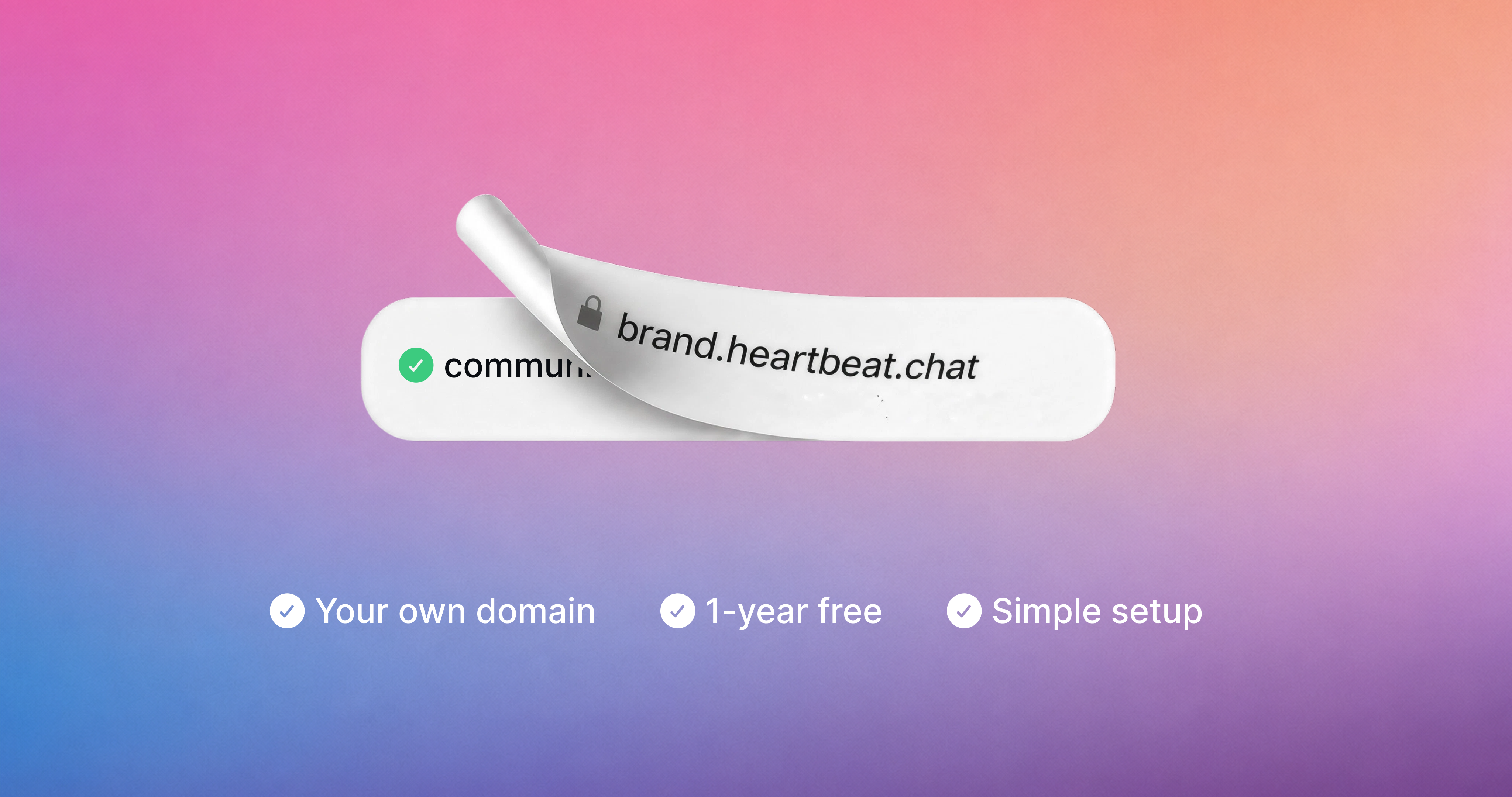
Connecting a custom domain to your community used to mean copying DNS records into your registrar, waiting, and wondering if you did it right. Now it takes a couple of clicks to host your community on your own domain.

Type in your domain, hit Connect, and we sign into your domain provider with you and set up the records automatically. That works for your community domain, your email sending domain, or both at once.

Don't have a domain yet? Get one through Heartbeat. It's free for your first year, and you'll see exactly what it costs to renew before you claim it.

Already have a domain connected? You're all set. Your domain stays active exactly as it is, and there's nothing you need to do.

How it works

Head to Settings > Community > Domains and enter the domain you want, or pick "Or, get a free domain" to register a new one. For most domain providers we handle DNS setup for you.

After that, your domain is Active once the records finish propagating, usually within a few minutes and at most 24-48 hours. Learn more here.

Email on your domain too

If your community is already on a custom domain, you can now start sending community emails from that same domain with one click.

A cleaner Domains page
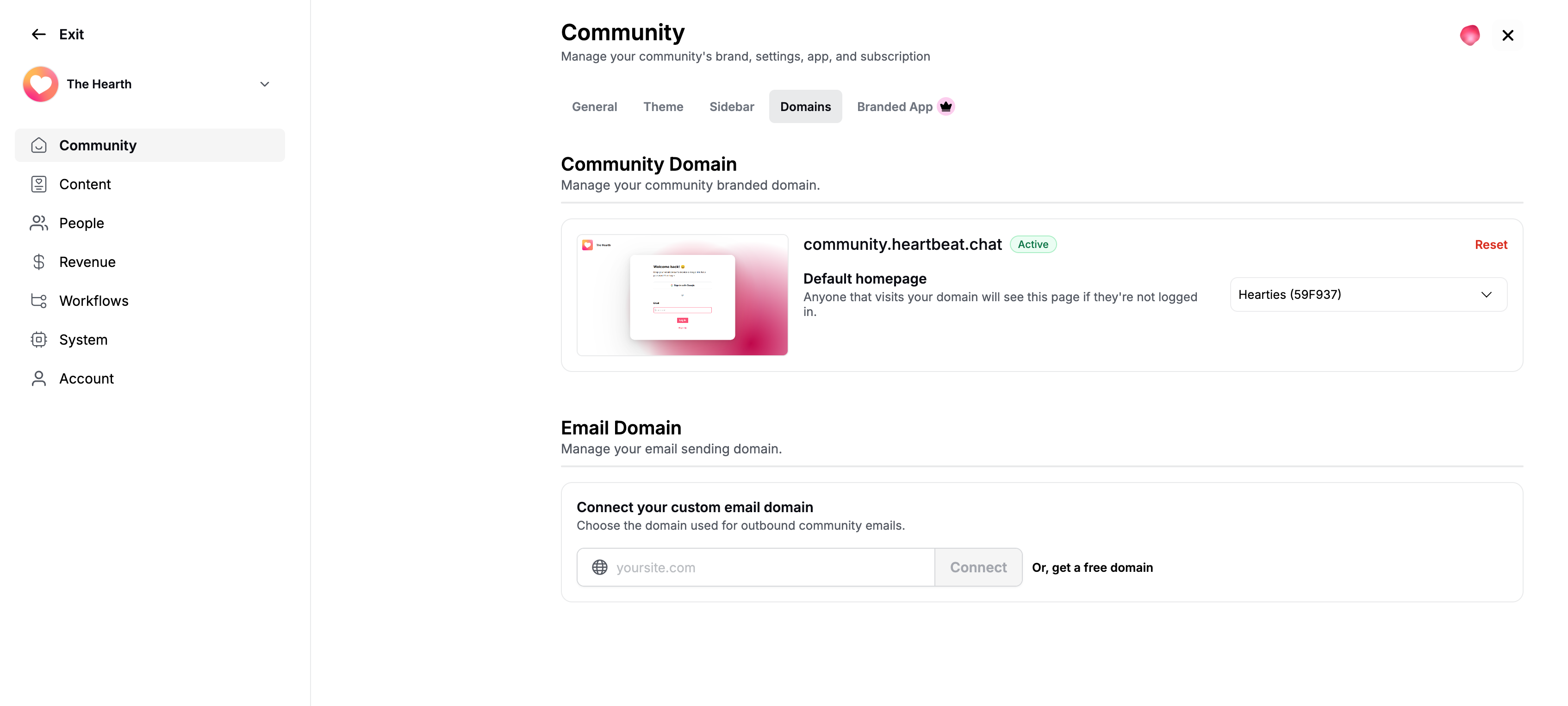
The Domains settings page got a full refresh along the way. You'll see a live preview of what visitors hit when they land on your domain, pick the default homepage they should see (a custom page or a sign up link), and check your domain's status at a glance.
Your settings, reorganized

Your settings used to be one long list that just kept getting longer. We did some spring cleaning.

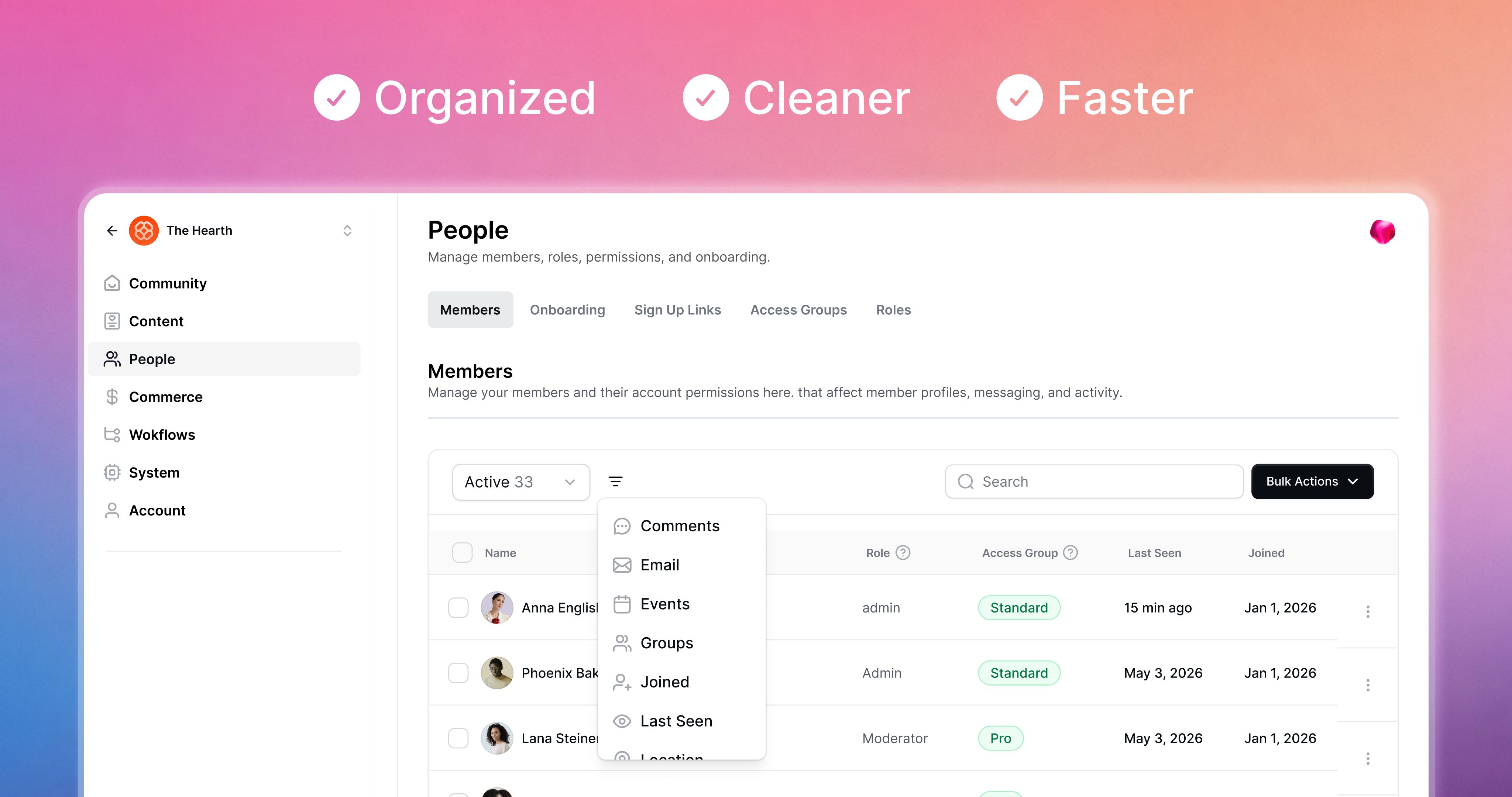
Open your settings now and you'll see seven categorized sections in the sidebar instead of one sprawling menu. Everything you had before is still there. It's just easier to find.

What's where

  • Community: General settings, theme, sidebar, custom URL and email domains, branded app

  • Content: Video library, email content, emojis

  • People: Members, onboarding, sign up links, access groups, roles

  • Revenue: Payments, offers, waitlists, affiliates, conversion tracking, subscription migration

  • Workflows: Active, scheduled, automated, paused, and completed runs in one filterable table

  • System: Pulse settings, integrations, API keys, billing, legal

  • Account: Your profile, affiliate link, notifications, groups, auto-responder

Small wins worth calling out

  • Emojis got their own page with a searchable table. Easier to scan when you've built up a big set.

  • Email is split into domain and content. And content customization is going to grow.

  • Workflows are now a filterable table, with search on the way.

  • The community switcher lives inside settings as well. Click your community name up top to jump between communities.

  • Pulse stays pinned in the top right of every settings page.

  • Support is still one click away, in the bottom left.

A note on the new look

This is the first part of Heartbeat with our new design refresh, which we're calling Rhythm. More of the product will move over to the new look page by page in the coming months.

Expect small refinements through the next week. Tell us what feels off. We'll keep refining as you use it.

Bring your paying members with you. In five minutes.

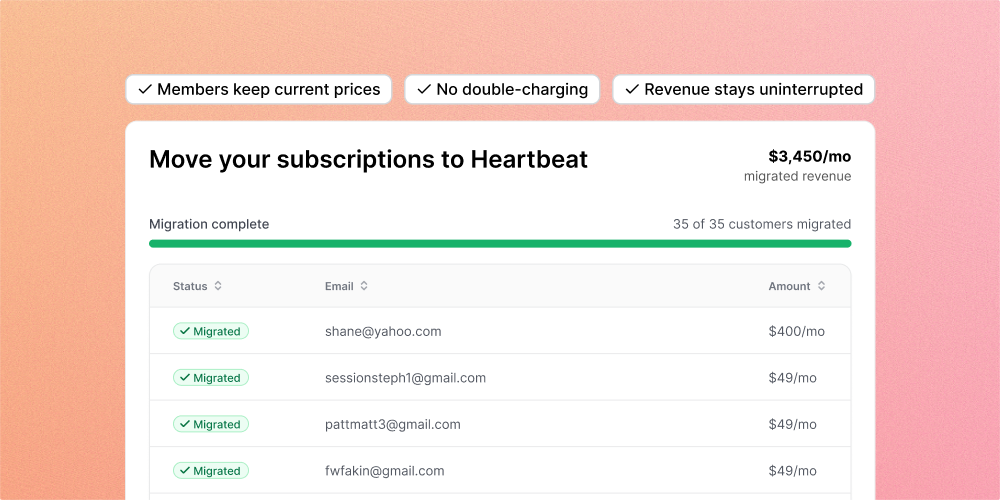
Moving to Heartbeat from Circle, Kajabi, Mighty, Substack, or anything else Stripe-powered? Your active subscriptions come with you. No double-charging, no re-subscribing, no coordinating 200 manual transitions.

Start from Settings > Import Subscriptions, pick the platform you're coming from, upload your Stripe subscription export file, and map each price group to a Heartbeat offer. Pulse steps in when you need a new offer on the fly.

How it works

Export subscriptions from your old Stripe account. Upload the CSV. We auto-detect the Stripe format and respect legacy prices. Copy your customer data over from your old Stripe account to your new Heartbeat-managed one, then hit Complete Migration. Finally, cancel the subscriptions in your old Stripe account to avoid double-billing. That’s all!

Members skip checkout on sign-up and go straight to onboarding. Your members keep what they're paying. You keep the revenue.

Want a second set of eyes? Optional Heartbeat review step double-checks the setup before anything runs.

Heads up: Stripe-to-Stripe migrations only for now.


Also shipped

Improved Edit sidebar items without opening Settings. Hover on any item in your left sidebar (Feed, Courses, Events, Docs, Matchups, or any custom link), click the three-dot menu, and rename, edit access, or configure it right there.