Search engine indexing & link previews
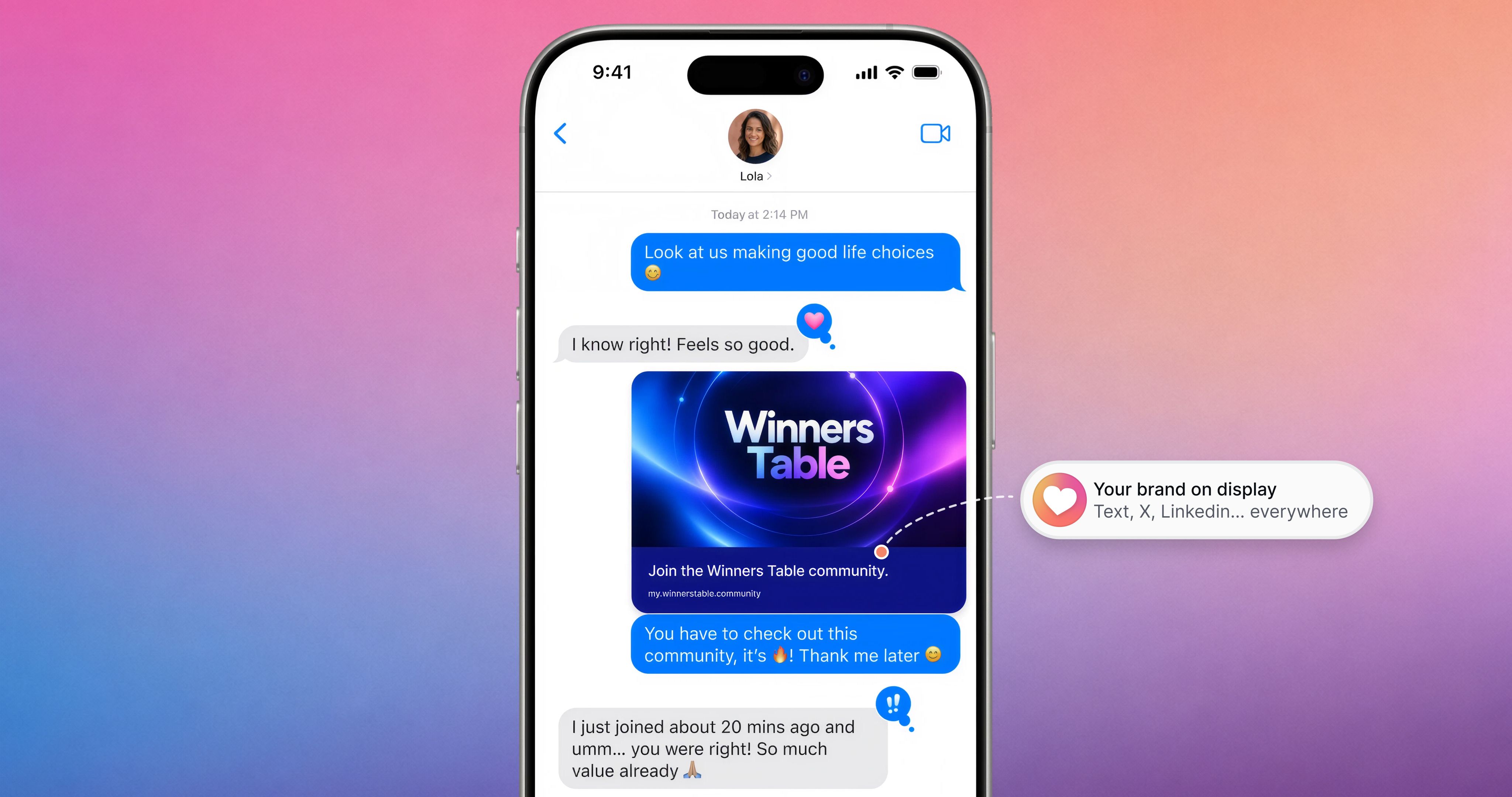
Two changes to how your community shows up outside Heartbeat: your shared links now show your community, and your public pages can now be found on Google and in AI search.
Search and AI indexing
Turn on Allow search engine indexing in Settings → Community → Branding and your public events, resources and landing pages can show up on Google, and in answers from ChatGPT, Perplexity and Google's AI Overviews. It's off by default, so nothing gets indexed until you turn it on.
Someone searching for a beginner pottery class near them can land on your public workshop. Someone asking ChatGPT where to find a running club can be pointed to your landing page. Your public pages work for you even when you're not sharing them.
AI search is one of the fastest-growing ways people find websites. AI tools' share of web traffic grew about 16x from 2024 to 2026 (SE Ranking, 100k+ sites). We wanted to give your community access to that channel early, so your public pages are ready to be found as it grows.
One setting for your whole community. It covers every public event, resource and landing page.
Paid and email-gated resources count too. Google and Bing can read what's inside, so your resource shows up for the topics it covers. Visitors still hit your paywall or email gate, and Google won't quote the text in results.
Members-only stays private. Content only members can see and private events are never indexed.
AI training bots stay out. AI search can find and cite your public pages, but bots that collect content to train AI models are blocked.
Your name in Google, not ours. On a custom domain, search results show your community's name and icon.
Your community now gets found by the public, through searches and AI answers.
Turn it off anytime, and search engines stop indexing your pages.
Link previews
Share a Heartbeat link anywhere that shows a preview (iMessage, WhatsApp, Slack, LinkedIn, Facebook, Discord) and the card now shows what the link points to.
Invite and sign-up links show your community's name, bio and splash image.
Public event links show the event name, description and banner image.
Resource and course links show the title, description and cover image.
Live now for every community, including custom domains.